RB67 C Lens: PC Flash Terminal Plastic Liner Problems
Originally posted on Instagram. Notes from the repair bench, kept here as a searchable archive. View the original on Instagram
I’m doing a replacement of a PC terminal today on a Mamiya RB67 C lens and thought that I would pass along some little known info.
Initially, Mamiya added a small plastic liner into the PC flash terminals on their C lenses. This provided a tighter fit for the flash cord. This worked fine until the plastic liner became nicked and then prevented the flash cord from being inserted. Or, nowadays, the plastic has deteriorated into a sticky mess and is causing issues with flash cord insertion. By around 1979 (slightly different years for various lens models) Mamiya changed the flash socket design and it did not have the plastic liner any longer. While many of these problem flash sockets have already been dealt with, there are still some lenses floating around with the troublesome plastic liner.
Mamiya also used this same PC socket on the 645 series up until around 1980 or so. If you are having trouble inserting your flash cable in these lenses, first thing to do is check the PC socket.
Also, Mamiya used an almost identical PC socket on their 35mm camera line in the late 1960s and 1970s. The most robust socket Mamiya produced was installed in the 1970 Mamiya Auto XTL camera. This socket had four small springs inside to hold the flash cable in place. I have never seen a socket like this on another camera.
While this minutiae regarding PC sockets might seem a bit much, it can be important when you are using remotes and such that need a low resistance to fire.
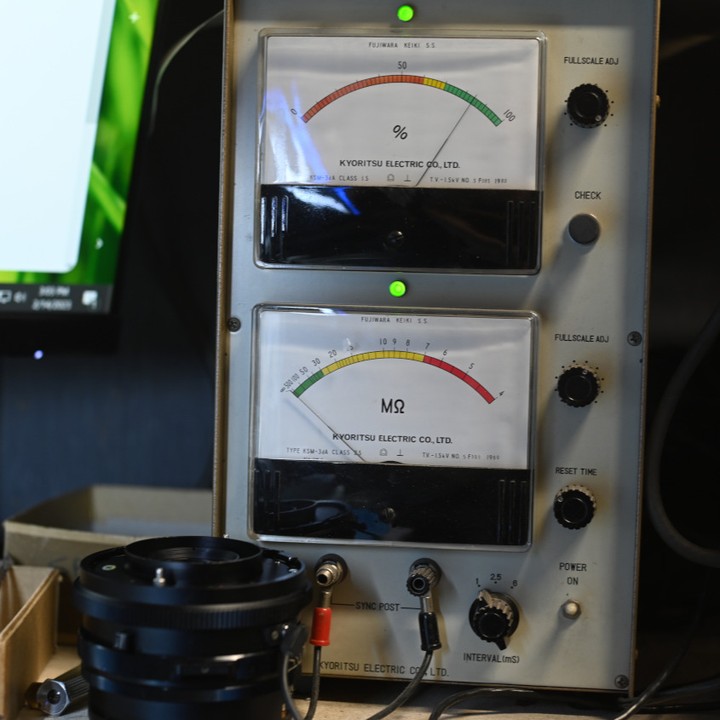
Photo one shows the percentage of contact with an early RB plastic lined terminal (this is from a used terminal that has seen a bit of use). Photo two shows contact percentage with a new, unused terminal without the liner. Photo three shows contact resistance with a terminal from a Mamiya Auto XTL and you can see that it has the best contact resistance (lowest).
The sockets: original plastic lined socket is photo four; new socket without lining is photo five; final image shows the Auto XTL socket with the four spring clips inside.